Global social media account network
Operations and growth platform
Built on our global in-house compute, TakeFlow gives your team multi-account management, automated operations, and AI scheduling—so operations run on process, not chaos.

Real devices in the cloud
Qualcomm Snapdragon® on ARM, real-device data simulation, and one-click isolated environments.
AI compute scheduling
Smart scheduling picks the best time to publish, so each post gets more reach.
Bulk network operations
Distilled from 100+ teams’ experience, with the detail frontline operators actually need.
Enterprise collaboration
Set team roles as your business grows and share compute across every project.
See TakeFlow Dual in action
Warming programs · Automated comments · Anchor publishing · Bulk profile edits
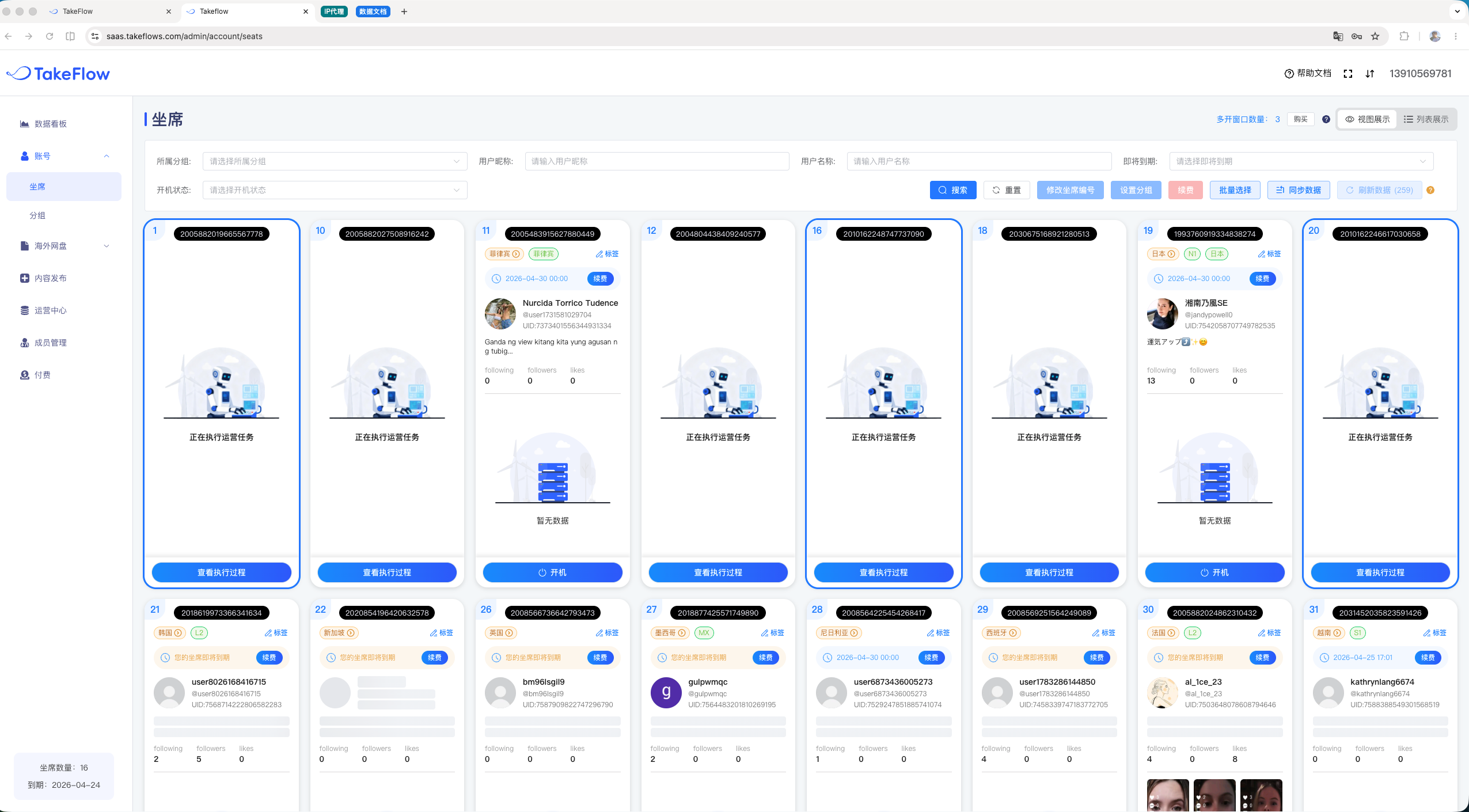
Warming programs
Deep account warming, routine profile updates, and image and short-video publishing—all automated for your use case.
Automated comments
Comments, likes, and follows in bulk, plus smart content generation to lift engagement.
Anchor publishing
Attach an anchor and publish in one click—short video, product link, DTC site, and other anchor types.
Bulk profile edits
Update nicknames, avatars, and bios in bulk to run a large account network without the busywork.
What customers say
Feedback from real users
"I went with TakeFlow because it saves me a headache. We used to run our own cloud phones. We’d buy them, then spend days setting up environments, configuring proxies, and warming social accounts—and sometimes they still wouldn’t work. Now we pay, and what comes back is a cloud phone with everything already on it: proxies connected, social accounts logged in, and live accounts that have been vetted. We can get straight to work. That alone makes it worth the money."
E-commerce operations director
A consumer electronics brand expanding globally
"The account warming automation genuinely takes the busywork off my hands. I set a one-week deep warming plan, and TakeFlow powers the cloud phones on and runs the tasks on schedule every day. I don’t even open my laptop—I just go do my other work. When the warming cycle ends, I pull up the report and the numbers are all right there. Before this, I had dozens of windows open at once, driving them with a synchronizer and doing everything by hand. It was exhausting, and things broke all the time. I’m not going back."
TikTok operations lead
An MCN agency
"I have to give TakeFlow credit for its member management—best I’ve used on a product like this. You can create project groups and add members, with permissions laid out clearly. The best part is that compute is pooled and shared: I buy compute for 20 windows and the whole team draws on it as needed. A busy project gets more, a quiet one takes less, and nothing sits idle. No more agonizing over “these five go to this team, those three go to that one.” It’s a lot less to manage."
Global expansion project lead
A cross-border e-commerce team
Frequently asked questions
What size team is TakeFlow Dual for?
It fits solo founders and teams of several dozen people. TakeFlow is easy to learn and hard to master: the basics click right away, but the bigger value depends on how deeply you dig into your own workflows.
How many cloud phones can one account manage?
For routine work like account warming or publishing standard content, one person can manage over a thousand devices. For more complex operations—short drama, Showcase accounts, anchor attachment—it depends on the workflow, so we scope it case by case.
How do I use AI compute scheduling?
It’s automatic. AI handles scheduling behind the scenes, so all you need to track is when a publishing task is submitted, when it runs, and when it finishes.
Which social platforms do the automation programs support?
TikTok today, plus TikTok-adjacent third-party apps like CapCut. We keep adding support for more social apps.
How do I assign permissions to team members?
The kind of setup you understand the moment you see it. Read the help guide—it’s free.
Can I connect TakeFlow to my own systems through an API?
Yes. See the TakeFlow API documentation to get started.
Can I switch a seat to another country?
Yes, for a small proxy-switch fee. Switching a US seat to a Mexico seat costs $1.45, and your expiration date carries over to the new seat.